
Download VINO – Italian wine, wine club, Vinitaly, wine tasting, wine guide, wine events, wine shop, wine education, wine history, wine promotions
Overview
The VINO - Italian Wine Club app, developed by DesignWine, serves as a digital gateway to the rich world of Italian viticulture. Designed specifically for Android users, this free application acts as the official companion to Vinitaly, one of Italy’s most prominent wine events and organizations. The software aims to connect enthusiasts, casual consumers, and wine lovers with comprehensive information about Italian wines, their origins, and related experiences. It enables users to explore a curated selection of wine products, locate nearby Vinitaly branches and retail stores, access current promotions, and engage with educational content about wine history and production.
Target users include wine enthusiasts, travelers seeking authentic wine experiences, and individuals interested in learning about Italian wine culture. The app supports real-world use cases such as planning visits to wine events, identifying local wine retailers, and discovering online purchasing options. While the developer did not provide additional context about DesignWine’s background, the app’s alignment with Vinitaly suggests a focus on authenticity and cultural preservation. The integration of location-based services allows users to find nearby wine shops and event venues, enhancing accessibility for both local and international audiences.
Key Features & Capabilities
- Product and Service Directory: Users can browse a complete overview of Vinitaly’s offerings, including wines, accessories, and related services, with details on availability and online purchase options.
- Location-Based Store Finder: The app provides real-time access to the nearest Vinitaly branch or retail outlet based on the user’s current location, including address and contact information.
- Wine Education Hub: Offers insights into the history of Italian wine, production methods, regional varietals, and cultural significance, supporting both novice and experienced learners.
- Event and Promotion Tracker: Displays current promotions, seasonal offers, and upcoming wine events, helping users stay informed about special activities and discounts.
- Wine Tasting Recommendations: Suggests top-rated venues and experiences for tasting Italian wines, enhancing the user’s ability to explore authentic wine culture.
These features are designed to support a seamless journey from discovery to purchase. For example, a user planning a trip to Italy can use the app to locate nearby Vinitaly-affiliated wine shops and check current promotions before visiting. Similarly, someone interested in wine education can access curated content on the history of Italian wine production, making the app a valuable tool for cultural and culinary exploration.
User Interface, Workflow & Performance
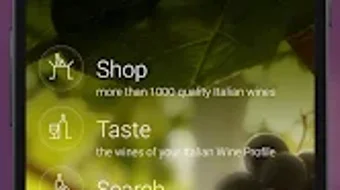
The user interface of VINO is structured around intuitive navigation, prioritizing ease of access to core functionalities such as store location, product browsing, and event listings. The layout appears optimized for mobile touch interaction, with clear icons and menu categories. Users can expect a streamlined workflow, beginning with a home screen that highlights key features like promotions, nearby stores, and featured wines.
Navigation is likely designed to minimize steps between actions—such as tapping a store location to open maps or selecting a wine to view product details. While specific performance metrics were not provided, the app’s 12.5 MB size suggests a lightweight footprint, which typically correlates with efficient resource usage. The developer did not specify resource usage details, but such compact applications generally exhibit stable behavior on modern Android devices. Stability and responsiveness are expected to be consistent, especially for basic tasks like map integration and content loading. However, performance may vary depending on network speed and device capabilities, particularly during real-time location updates or media-heavy content delivery.
Compatibility & System Requirements
VINO is designed for Android operating systems, with version 1.0 released on March 15, 2024. The application has a file size of 12.5 MB, indicating a lightweight installation that should fit comfortably on most Android devices. The developer did not specify exact system requirements, including minimum Android version or hardware specifications such as RAM or CPU. As a result, compatibility information is limited to the provided OS platform.
Users should expect the app to function on a wide range of Android devices, given its small size and typical design patterns for lifestyle apps. However, exact compatibility details—such as support for older Android versions or specific device models—were not disclosed. It is recommended to verify device compatibility through the official app store before installation. The app may require access to location services and internet connectivity to fully utilize features like store finders and real-time promotions.
Pros and Cons
Pros
- Free to download and use, making it accessible to a broad audience.
- Official app tied to Vinitaly, ensuring content authenticity and reliability.
- Comprehensive wine education resources for users of all experience levels.
- Integrated location services for finding nearby stores and branches.
- Regular updates on promotions and wine events to keep users engaged.
Cons
- Compatibility details beyond Android OS were not provided.
- Limited to Android platform; no support for iOS or desktop systems.
- Exact performance and resource usage data were not specified.
- May require internet connectivity for full functionality.
- App size, while small, may still impact storage on older or low-capacity devices.
FAQ Section
Is VINO available for iOS devices?
The app is currently available only for Android. No information about iOS compatibility was provided by the developer.
Is the app secure to download and use?
As a free app published through official Android channels, VINO is expected to comply with standard security protocols. Users are advised to download from trusted sources to ensure safety.
How often is the app updated?
Update frequency was not specified. Users should check the app store for the latest version and release notes.
Does VINO require an internet connection?
Yes, most features—including store location, promotions, and product browsing—require an active internet connection.
Can I purchase wine directly through the app?
Yes, the app provides information about products available for online purchase, though the actual transaction process may occur through a linked website or third-party platform.
Final Thoughts
VINO - Italian Wine Club delivers a focused and engaging experience for anyone interested in Italian wine culture. With its official ties to Vinitaly, the app offers trustworthy, curated content and practical tools for discovery, education, and purchase. Its lightweight design and free access make it an appealing choice for both casual users and dedicated wine enthusiasts. While platform and technical details are limited, the app’s core functionality is well-aligned with its purpose. For those seeking a digital companion to explore Italian wines, attend events, or locate local retailers, VINO stands out as a reliable and user-friendly solution.
Download VINO now







